After 7 years, I’m back in the job market, and it feels like I’m exploring a whole new galaxy! Some positions on LinkedIn shimmer like distant stars – you can see them, but they’re not quite real. Others are like fleeting multiverses, appearing and disappearing before you can even apply. And then there are those rare planets, seemingly within reach, but orbiting exclusively for internal employees.
In this competitive (and sometimes illusory) galaxy, it’s tough to distinguish the real opportunities from the cosmic mirages. To navigate this challenge and compete with myself, I’ve created a 30-60-90 day plan to guide my search. 🔭
🪐 Here’s my plan: 📓 Days 1-30: Foundation & Focus – 🌓 Define My Ideal Role: I’m aiming for Customer Experience, Customer Success, or DevOps Lead positions where I can leverage my passion for creating exceptional customer journeys and driving operational excellence. 🌓 Identify Target Companies: I’m open to any size company in the tech industry, with a preference for those embracing remote work or offering exciting travel opportunities. 🌓 Optimize My Online Presence: 🌙 LinkedIn: My profile is polished and updated, highlighting my skills and experience. 🌙 Resume: I’ve crafted three versions tailored to different roles. 🌙 Website: My website (link in the comments) showcases my work and projects. 🌙 Networking: I’m actively connecting with professionals in my field.
📓 Days 31-60: Active Search & Skill Enhancement 🌓 Job Applications: I’m proactively applying for roles and crafting compelling cover letters. 🌓 Interview Preparation: I’m refreshing my interview skills, refining my elevator pitch, and practicing with mock interviews. 🌓 Continuous Learning: I’m staying updated on industry trends and enhancing my managerial, leadership, and technical skills.
📓 Days 61-90: Refinement & Expansion 🌓 Refine My Approach:Analyze My Progress: I’ll track my job applications, interviews, and networking efforts to identify areas for improvement. 🌓 Attend Industry Events: To expand my network and gain insights into new opportunities, I’ll start attending industry events and conferences.
💃 Early Wins:
While I haven’t landed a job yet, I recently had an interview opportunity (not directly for a job) where I was able to showcase my passion and expertise. Praveena Jogi Website.
Crossing my fingers 🤞 and hoping for a bit of luck! Hopefully, I can find that pot of gold (or job pot!) at the end of the rainbow. 🌈
Time. It’s the one resource we all have in equal measure, yet it often feels like there’s never enough. The clock keeps ticking, relentlessly marching forward, and it’s up to us to decide how we spend those precious moments. This is where discipline comes in – the bridge between good intentions and consistent action. Think of time as a river. It’s constantly flowing, and you can choose to either drift aimlessly along or navigate purposefully towards your destination. Discipline is the paddle that allows you to steer, to make conscious choices about where you want to go and how you’ll get there.
ऋतेऽपि त्वां न भविष्यन्ति सर्वे येऽवस्थिता: प्रत्यनीकेषु योधा: || – Krishna says in the Bhagavad Gita.
Translation:
“Time I am, the great destroyer of the worlds, and I have come here to destroy all people. With the exception of you [the Pandavas], all the warriors standing here on both sides shall cease to exist.” – Bhagavad Gita 11.32
This verse, spoken by Krishna, highlights the all-consuming nature of time. It emphasizes that time is an unstoppable force, ultimately leading to the end of everything. However, within this seemingly bleak message lies a powerful call to action: to use our time wisely and purposefully.
Why is Mastering Time So Important?
Achieving Goals: Time is the raw material for achieving your dreams. Whether it’s writing a book, starting a business, or learning a new skill, consistent effort over time is the key to success.
Reducing Stress: Feeling overwhelmed often stems from a lack of control over our time. By prioritizing tasks and managing our schedules effectively, we reduce stress and create a sense of calm.
Improving Relationships: Time is an investment in our relationships. By dedicating quality time to loved ones, we nurture those bonds and create lasting memories.
Boosting Productivity: Effective time management allows us to focus on what truly matters, leading to increased productivity and a sense of accomplishment.
Living a Fulfilling Life: Ultimately, mastering time allows us to live a life aligned with our values, pursuing our passions and making a meaningful impact.
But mastering time isn’t just about personal productivity; it’s also about respecting the time of others. Being disciplined with your time means:
Being Punctual: Arrive on time for appointments and meetings. Value other people’s time as much as your own.
Being Prepared: Don’t waste time fumbling for information or scrambling to meet deadlines. Be organized and ready to contribute.
Being Present: When you’re with someone, give them your full attention. Avoid distractions and be fully engaged in the moment.
Cultivating Discipline: Your Key to Time Mastery
Discipline isn’t about rigid rules and self-denial. It’s about making conscious choices and developing habits that support your goals. Here are a few tips to cultivate discipline:
Set Clear Goals: Knowing what you want to achieve provides direction and motivation.
Prioritize Ruthlessly: Focus on the most important tasks and learn to say “no” to distractions.
Break Down Large Tasks: Overwhelm is the enemy of progress. Break down large goals into smaller, manageable steps.
Create a Schedule: A schedule provides structure and helps you allocate time effectively.
Eliminate Time Wasters: Identify and minimize activities that drain your time and energy.
Practice Self-Care: Rest, relaxation, and rejuvenation are essential for maintaining discipline.
Be Patient and Persistent: Discipline is a muscle that needs to be trained. Don’t get discouraged by setbacks; keep practicing and refining your approach.
Time and discipline are intertwined forces that shape our lives. By harnessing the power of discipline, we can make the most of our time, achieving our goals, building strong relationships, and living a life filled with purpose and meaning. Remember, every moment is an opportunity to create the future you desire. And by respecting the time of others, we show that we value them and their contributions.
In the movie Avengers: Infinity War, Thanos believes that there is only one power that can beat all others: the great power of time. This echoes the profound wisdom found in the Bhagavad Gita, where Krishna reveals himself as Time, the ultimate force of the universe. Both remind us of the immense power and undeniable influence that time has over all things.
The question of how to “check the status of a life” is a profound one, touching upon themes of well-being, purpose, and fulfillment. It’s about understanding who you are, what you value, and whether you’re living in alignment with your authentic self. While AI can’t provide all the answers, it can offer valuable tools and insights to help us on this journey of self-discovery. One of these tools is personality assessment, which is increasingly being enhanced by AI.
Traditional Methods for Checking the Status of a Life
Before delving into the role of AI, let’s acknowledge the traditional ways people have sought to assess their lives:
Introspection and Reflection: Journaling, meditation, and therapy can facilitate self-awareness and help us understand our values, goals, and emotions.
Social Connection: Engaging with loved ones, seeking feedback, and participating in communities can provide external perspectives and support.
Goal Setting and Achievement: Setting and pursuing meaningful goals can provide a sense of purpose and direction.
Physical and Mental Health: Prioritizing physical and mental well-being is crucial for overall life satisfaction.
Personality Tests: A Key to Understanding Your “Life Status”
Personality tests can be a powerful tool for checking the status of your life. By providing insights into your personality traits, strengths, and weaknesses, they can help you understand:
Your motivations and values: What drives you? What’s truly important to you? Are your current pursuits aligned with your core values?
Your natural tendencies: Are you introverted or extroverted? Are you a planner or more spontaneous? Understanding your natural tendencies can help you make choices that are aligned with your personality.
Your strengths and weaknesses: What are you good at? Where do you struggle? This knowledge can help you leverage your strengths and develop strategies to overcome your weaknesses.
Your preferred communication and interaction styles: How do you prefer to communicate with others? How do you approach relationships? Understanding your interaction style can improve your relationships and help you navigate social situations more effectively.
By gaining a deeper understanding of your personality, you can gain clarity on whether you’re living a life that is true to yourself. This self-awareness is essential for assessing your “life status” and making adjustments to create a more fulfilling life.
The Importance of Honesty in Personality Tests
“Complete the Test. Be yourself and answer honestly to find out your personality type.” This common instruction highlights a crucial aspect of personality tests: their reliance on self-reported data.
Why is honesty so important?
Accurate Results: Personality tests are designed to analyze patterns in our responses and match them to pre-defined personality types or traits. Dishonest answers can skew these patterns, leading to inaccurate results that don’t reflect our true selves.
Self-Awareness: The process of honestly answering questions about ourselves can be a valuable exercise in self-reflection. It can help us identify blind spots, recognize patterns in our behavior, and gain a deeper understanding of our motivations and tendencies.
Personal Growth: Accurate personality assessments can be a starting point for personal growth. By understanding our strengths and weaknesses, we can identify areas for improvement and develop strategies to overcome challenges.
How AI Can Contribute to Understanding the “Status of a Life”
While AI can’t replace traditional methods of self-reflection, it can augment them in several ways:
Data-Driven Self-Awareness:
Wearable technology and health apps: These tools can track various metrics like sleep patterns, activity levels, and mood, providing objective data about our physical and mental health.
Social media analysis: AI algorithms can analyze our online interactions and provide insights into our social connections and emotional well-being.
Journaling apps: AI-powered journaling apps can analyze our writing for patterns and themes, helping us identify recurring thoughts and emotions.
Personalized Guidance:
Mental health chatbots: AI-powered chatbots can offer support and guidance for managing stress, anxiety, and other mental health concerns.
Virtual therapists: While not a replacement for human therapists, virtual therapists can provide accessible and affordable mental health support.
Personalized recommendations: AI can recommend activities, resources, and communities based on our interests and goals, helping us explore new paths and connect with like-minded individuals.
Early Detection and Intervention:
Predictive analytics: AI can analyze data from various sources to identify potential risks to our well-being, such as burnout or depression.
Proactive interventions: AI can suggest interventions or resources to address these risks before they escalate into major problems.
The Future of AI in Personality Assessment
AI is poised to revolutionize personality assessment. Imagine a future where AI can analyze:
Facial expressions and micro-expressions: AI algorithms could potentially detect subtle cues in our facial expressions that reveal underlying emotions and personality traits.
Voice patterns and tone: AI could analyze our speech patterns, tone of voice, and even pauses to identify personality characteristics.
Social media activity: AI could analyze our online interactions, posts, and preferences to gain insights into our personality and social behavior.
However, this raises important ethical considerations:
Privacy concerns: How do we ensure the responsible use of personal data in AI-powered personality assessment?
Bias and fairness: How do we prevent AI algorithms from perpetuating existing biases and stereotypes?
The human element: Can AI truly capture the nuances of human personality, or will it always be limited by its lack of lived experience and emotional intelligence?
AI can be a valuable tool for enhancing self-awareness, providing personalized guidance, and facilitating early intervention. However, it’s crucial to use AI responsibly and ethically, recognizing its limitations and prioritizing the human element in our quest for a fulfilling life. As AI plays an increasing role in tools like personality tests, we must remain mindful of the importance of honesty, self-reflection, and human connection in understanding ourselves and living a meaningful life. By combining these approaches, we can gain a clearer picture of our “life status” and make informed choices that lead to greater well-being and fulfillment.
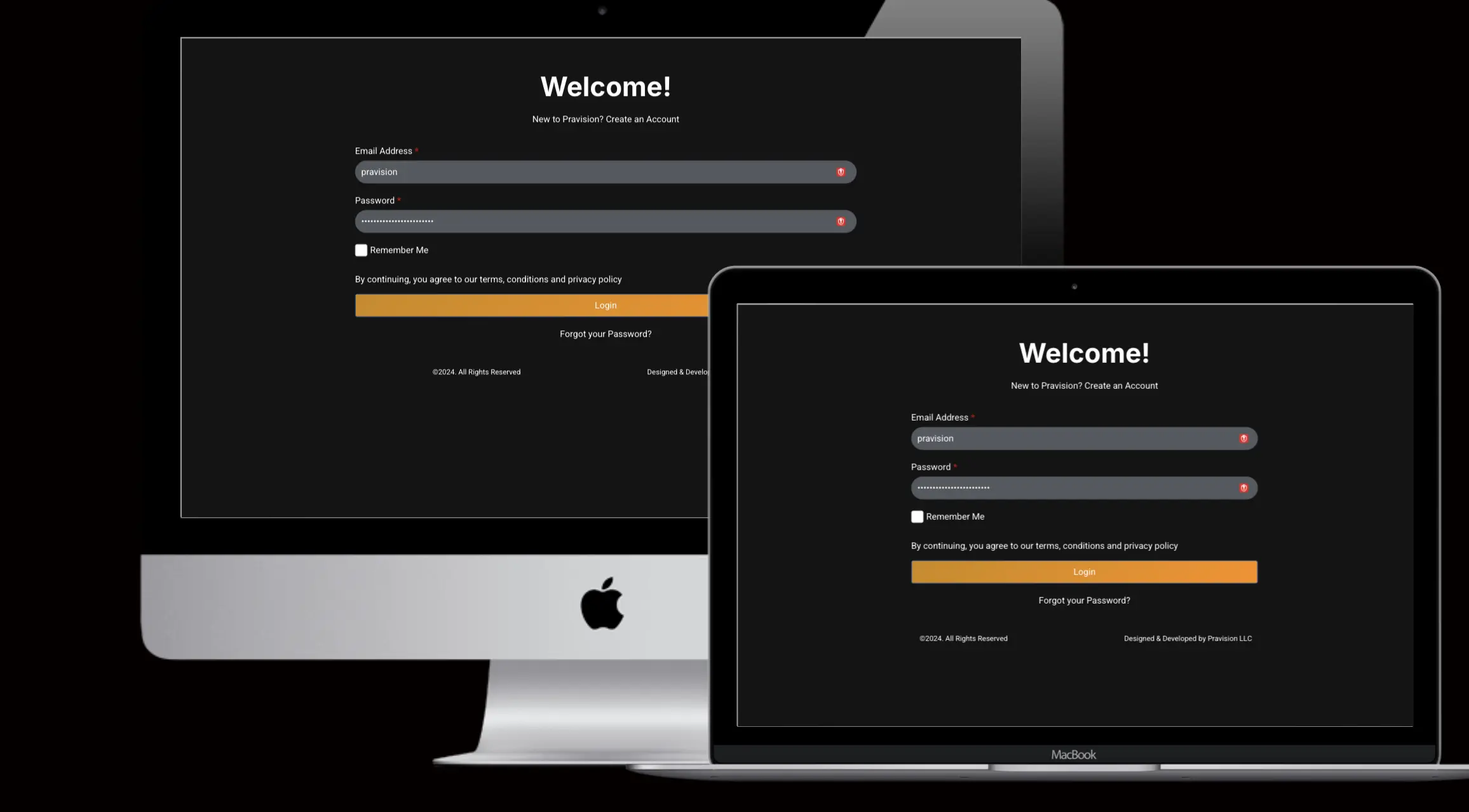
We’re excited to introduce the Pravision Client Portal Beta! This new platform is designed to streamline your interactions with us and provide easy access to everything you need to manage your projects. But that’s not all – get ready for the General Availability (GA) release on November 9th, 2024, with even more features!
What Can You Do in the Beta Version?
Here are some of the key features you can explore right now:
Download Paid Invoices: Easily access and download copies of your paid invoices for your records.
Pay Unpaid Invoices: Quickly and securely pay any outstanding invoices with just a few clicks. Direct links to payment options are provided for your convenience.
Download Reports: Access and download detailed reports on your projects, including performance metrics, analytics, timesheet reports, and key insights, which are available based on your specific project requirements.
View Support Tickets: Track the status of your support tickets.
Project Updates: List of your projects
Direct Communication: Schedule a call or book an appointment with your Pravision team directly through the portal. You’ll find convenient links for scheduling on your dashboard.
What’s Coming in the GA Release?
On November 9th, we’ll be launching the full version of the Client Portal with these exciting additions:
User Management: Gain more control over your account with the ability to manage user access and permissions.
Profile Customization: Update your profile information and easily change your password.
Find Answers Fast!
The Client Portal also includes an FAQ page where you can find answers to common questions. If you can’t find what you need, submit a support ticket by emailing support@pravision.com. We’ll respond with an answer and update the FAQ accordingly.
Why Beta?
Your feedback is essential! By releasing a beta version, we can gather your valuable insights and make further improvements before the official launch. Help us shape the future of the Client Portal!
We’ve already talked about how AI can transform the customer onboarding experience, creating personalized journeys that turn new users into raving fans (you can catch up on that here: https://blog.pravision.com/onboarding-with-ai-turning-new-users-into-raving-fans). But what about the impact on your team? How can managers and leaders leverage AI to boost efficiency, empower their teams, and drive business growth?
Let’s dive in!
The Value Proposition for Managers and Leaders
AI onboarding isn’t just about making things easier for customers; it’s about empowering your team to work smarter, not harder. Here’s how:
Increased Efficiency: AI automates those time-consuming, repetitive tasks that bog down your team. Think data entry, basic troubleshooting, and scheduling. This frees up your team to focus on higher-value activities like building relationships, providing personalized guidance, and strategizing for customer success.
Reduced Costs: By automating tasks and optimizing workflows, AI can help you reduce onboarding costs and improve your bottom line. This means you can do more with less, maximizing your resources and achieving a greater return on investment.
Improved Customer Satisfaction: A smoother, more personalized onboarding experience leads to happier customers. Happy customers are more likely to stick around, become repeat buyers, and spread the word about your amazing product.
Data-Driven Insights: AI provides valuable data and insights into customer behavior, preferences, and pain points. This allows you to make informed decisions, optimize your onboarding process, and continuously improve the customer experience.
Building a Vision for AI Onboarding
As a leader, it’s crucial to have a clear vision for how AI will fit into your onboarding strategy. Here are some key steps:
Define Your Goals: What do you hope to achieve with AI onboarding? Are you looking to reduce churn, increase customer lifetime value, or improve customer satisfaction?
Identify KPIs: How will you measure the success of your AI onboarding initiatives? Choose metrics that align with your goals, such as time-to-value, engagement rates, and customer health scores.
Develop a Roadmap: Create a phased implementation plan that outlines your AI onboarding strategy, including timelines, resources, and key milestones.
Empowering Your Team with AI
One of the biggest concerns I hear from managers is that AI will replace human jobs. But that’s not the case! AI is about augmenting human capabilities, not replacing them.
Think of AI as a powerful tool that empowers your team to do their best work. By automating routine tasks, AI frees up your team to focus on what they do best:
Building Relationships: AI can handle the initial interactions and basic troubleshooting, allowing your team to focus on building deeper relationships with customers.
Providing Personalized Guidance: AI can analyze customer data and provide insights that help your team offer tailored guidance and support.
Creative Problem-Solving: With AI handling the routine tasks, your team has more time to think creatively and come up with innovative solutions to customer challenges.
Real-World Examples from Pravision
At Pravision, we’ve seen firsthand how AI can empower customer success teams. For example, our AI-powered chatbot, Pravision Bot, automatically captures customer emails, extracts key information, and logs support tickets. This has significantly reduced the workload for our team, allowing them to focus on providing personalized support and building relationships with customers.
We’ve also used AI to analyze customer data and identify patterns in user behavior. This has helped us to optimize our onboarding process and proactively address potential issues before they escalate.
The Future of Onboarding is AI-Powered
As a manager or leader, embracing AI onboarding is no longer a choice; it’s a necessity. By leveraging the power of AI, you can create a more efficient, effective, and engaging onboarding experience that delights your customers and empowers your team.
Looking for Advice?
If you’re intrigued by the possibilities of AI onboarding but need guidance on where to start, Pravision is here to help. We can offer expert advice, customized solutions, and hands-on support to help you implement AI and transform your onboarding process. Contact us today – we’re at your service!
So, what are you waiting for? Start exploring the possibilities of AI and lead your organization into the future of customer onboarding!
Remember that awesome customer onboarding experience we talked about? You know, the one where you wow new users from the get-go and turn them into loyal advocates? Well, get ready to take it to the next level with the power of AI!
Want a refresher on the fundamentals of customer onboarding? Check out my previous blog post, Level Up Your Customer Onboarding: The Ultimate Guide to Success (with Cheat Sheets!), for a comprehensive overview of onboarding best practices. You can find it here: Level Up Your Customer Onboarding: The Ultimate Guide to Success
Now, let’s dive into how AI can supercharge your onboarding process…
Artificial intelligence is changing the game when it comes to onboarding. It’s like having a super-smart assistant who can anticipate your users’ needs and guide them seamlessly through their journey. This isn’t just about making things easier for your customers (though that’s a huge plus!); it’s about creating an experience so personalized and engaging that they can’t help but fall in love with your product.
Why AI-Powered Onboarding Rocks
Happy Customers, Happy Business: AI helps you deliver a smooth, efficient onboarding experience that reduces frustration and increases satisfaction. Happy customers are more likely to stick around, become repeat buyers, and spread the word about your amazing product.
Boost Engagement and Retention: By personalizing the onboarding journey and providing proactive support, AI helps you keep users engaged and motivated, ultimately reducing churn and increasing customer lifetime value.
Free Up Your Team (and Empower Them!): AI takes care of those tedious, repetitive tasks, like data entry and basic troubleshooting. This doesn’t mean replacing your team! Instead, it frees them up to focus on what they do best: building relationships, providing personalized guidance, and coming up with creative solutions. Think of AI as an extension of your team, not a replacement.
Remember: The human touch is still key! AI is a powerful tool, but it can’t replace the empathy, intuition, and genuine connection that human interaction provides.
How AI Transforms the Onboarding Experience
Personalized Onboarding Paths:
Imagine this: a new user signs up for your product, and instead of being thrown into a generic onboarding flow, they’re greeted with a personalized experience tailored to their specific needs and goals. AI makes this possible!
By analyzing user data like demographics, past behavior, and stated preferences, AI can create customized onboarding paths that deliver the most relevant information and features at the right time. This means users get up to speed faster, experience quicker wins, and see the value of your product sooner.
Think of Duolingo, the language learning app. It uses AI to assess your current language skills and create a personalized learning path that adapts to your progress. This ensures you’re always challenged but not overwhelmed, keeping you motivated and engaged.
AI-Powered Chatbots and Virtual Assistants (Like Pravision Bot!):
No more waiting around for support! AI-powered chatbots and virtual assistants are like having a 24/7 concierge for your users. They can answer questions instantly, troubleshoot issues, and guide users through the onboarding process in a conversational and engaging way.
Take Pravision Bot, for example. It can automatically capture customer emails, extract key information, and even log support tickets without any human intervention. This means faster response times, reduced workload for your team, and happier customers.
These AI assistants can also proactively reach out to users who seem stuck or confused, offering helpful tips and resources. This reduces frustration, prevents drop-offs, and ensures a smooth onboarding journey.
Automated Tasks and Workflows:
Say goodbye to manual data entry and tedious setup processes! AI can automate many of the repetitive tasks involved in onboarding, such as:
Account creation and setup: AI can automatically populate user profiles with information gathered during signup, saving time and reducing errors.
Product tours and tutorials: AI can guide users through interactive product tours, highlighting key features and functionalities based on their individual needs.
Data import and migration: AI can seamlessly import data from other platforms, making the transition to your product smooth and effortless.
This automation frees up your customer success team to focus on more strategic tasks, like building relationships, providing personalized guidance, and identifying opportunities for upselling and expansion.
Predictive Analytics for Proactive Intervention:
AI can analyze user behavior and identify those who might be struggling or at risk of churning. This allows your customer success team to intervene proactively and offer personalized support before it’s too late.
For example, if a user hasn’t logged in for a while or hasn’t completed key onboarding steps, AI can trigger an automated email or a personalized message from a customer success manager, offering assistance and checking in on their progress.
This proactive approach shows users that you care and are invested in their success, increasing their satisfaction and loyalty.
Content Optimization with AI:
AI can analyze user interactions with your onboarding materials (tutorials, videos, knowledge base articles) and identify areas for improvement. This could include:
Content recommendations: AI can suggest relevant content to users based on their individual needs and learning styles.
Format optimization: AI can identify which formats (text, video, interactive) are most effective for different user segments.
Personalized messaging: AI can tailor onboarding messages and notifications to resonate with individual users.
By continuously optimizing your onboarding content, you can ensure it’s always engaging, relevant, and effective.
Gamification and AI:
Make onboarding fun and rewarding with AI-powered gamification! AI can personalize the gamified experience by offering tailored challenges, rewards, and incentives based on user preferences and progress.
This can include:
Personalized badges and achievements: AI can award badges based on specific milestones achieved during onboarding.
Tailored challenges and quests: AI can create challenges that align with user goals and interests, keeping them motivated and engaged.
Personalized feedback and encouragement: AI can provide feedback and encouragement based on user performance, fostering a sense of accomplishment and progress.
Real-World Examples
LinkedIn: Uses AI to suggest relevant connections, job opportunities, and learning resources to new users based on their profile and interests. This helps them quickly build their network and get the most out of the platform.
Facebook: Employs AI to personalize the newsfeed for new users, showing them content that is most relevant to their interests and connections. This helps them feel immediately engaged and encourages them to explore the platform further.
The Human Touch Still Matters
While AI is a powerful tool for customer onboarding, it’s important to remember that the human touch is still crucial. AI should be used to enhance, not replace, human interaction.
Your customer success team should be there to provide personalized support, build relationships, and offer strategic guidance. AI can free up their time to focus on these high-value activities, creating a truly exceptional onboarding experience.
Need Help with AI-Powered Onboarding?
If you’re looking to implement AI in your customer onboarding process and need advice, guidance, or a helping hand, reach out to us at Pravision. We’re here to help you create an onboarding experience that truly wows your customers!
As Praveena says, “Customer Rocks!” Let’s work together to make your customers rockstars too.
Ready to Get Started?
AI-powered onboarding is the future of customer success. By embracing these technologies, you can create an onboarding experience that delights your users, boosts engagement, and drives long-term loyalty.
So, what are you waiting for? Start exploring the possibilities of AI and take your customer onboarding to the next level!
The rain was coming down in sheets, a grey curtain against the vibrant fall foliage. But I wasn’t on the porch, no sir. I was right out there in the thick of it, completely soaked, laughing like a child. Literally sitting in the rain, letting it wash away all my worries. “This,” I thought with a shiver of pure joy, “is what rainy days are all about.”
My phone buzzed. It was a notification from LinkedIn. Another job rejection. A wave of familiar frustration washed over me. “Ugh, this job hunt is really getting to me,” I muttered to myself, pulling out my phone with dripping hands. “I thought I was ready to retire, but this constant rejection… it makes me question everything.
I closed my laptop, the glow of the screen suddenly an unwelcome intrusion on the peaceful rhythm of the rain. “Buddham sharanam gacchami,” I whispered, the ancient words a soothing balm on my troubled mind. The Four Noble Truths, always a source of comfort and guidance.
“Life is suffering,” I mused. “Buddha wasn’t kidding. And right now, my suffering is all about this job. This need, this attachment to something that’s causing me so much stress.”
I took a deep breath, the crisp autumn air filling my lungs. “But suffering is temporary, right? I just need to let go of this attachment. It’s just a job. I won’t die without one.”
A mischievous grin spread across my face. “In fact,” I declared, grabbing my camera, “I think it’s time for a photoshoot! This rain is too beautiful to waste.”
Hours later, I was back on the porch, scrolling through the photos on my camera, a sense of calm replacing the earlier anxiety. “Look at these colors,” I marveled. “Who needs a job when you have this kind of beauty in your life?”
An idea sparked in my mind. “This is it! This is my content for today. A blog post about finding happiness in the face of suffering, inspired by the rain, by Buddha’s teachings, by this whole experience.”
I opened my laptop, the words flowing effortlessly onto the screen. “Suffering is a part of life,” I typed, “but it doesn’t have to define us. We can choose happiness. We can find our own path.”
As I finished the post, a sense of peace settled over me. The rain had stopped, leaving behind a world washed clean and sparkling.
“Praveena,” I said to myself, “you’ve got this. Suffering may come, but you know how to find your way back to happiness.”
“Buddham Sharanam Gacchami” – I take refuge in the Buddha. These words resonate deeply, especially when life throws its inevitable curveballs. The Four Noble Truths, the foundation of Buddhist teachings, offer a profound framework for navigating the challenges we all face.
Customer onboarding. It’s more than just a welcome email. It’s the VIP treatment, the red carpet rollout that sets the stage for my customer’s entire experience. Nail it, and you’ll see increased engagement, reduced churn, and happier customers.
Let’s face it, most photographers follow a predictable formula: pose the subjects, snap the shot, and apply some basic editing. But what if you crave something more? Something that truly reflects your unique personality and style? And what if you’re tired of feeling like you have to fit into a certain mold to look good in photos?
That’s where PJ4Ever Photography, helmed by the visionary Praveena Ane Nenu, steps in. Praveena understands that your photos should be as individual as you are, and that true beauty comes in all shapes, sizes, and forms.
Here’s how PJ4Ever Photography stands out from the crowd:
Feature
Typical Photographers
PJ4Ever Photography
Posing
Stiff, traditional poses. Everyone lined up or sitting awkwardly.
Dynamic and natural poses that capture genuine emotion and interaction.
Angles
Straight-on, predictable angles.
Creative angles that add depth and visual interest. Think high angles, low angles, and unique perspectives.
Lighting
Reliance on natural light or basic flash.
Masterful use of light and shadow to create mood and drama.
Colors
Standard color correction for brightness and clarity.
Emphasis on vibrant colors and creative color grading to enhance the mood and story.
Editing
Basic Photoshop edits for touch-ups.
A blend of artistic techniques and effects to create truly unique and stylized images.
Overall Result
Generic photos that look like everyone else’s.
One-of-a-kind images that tell your story in a captivating way.