
Pictures upload

When it comes to website design and development, there is a wide range of projects that can be categorized as simple or hard. Some projects might involve complex coding and intricate design elements, while others might require basic functionality, pictures upload and a clean, minimalist layout. At Websiteistic, we approach each project with the same level of dedication and attention to detail, regardless of its complexity.

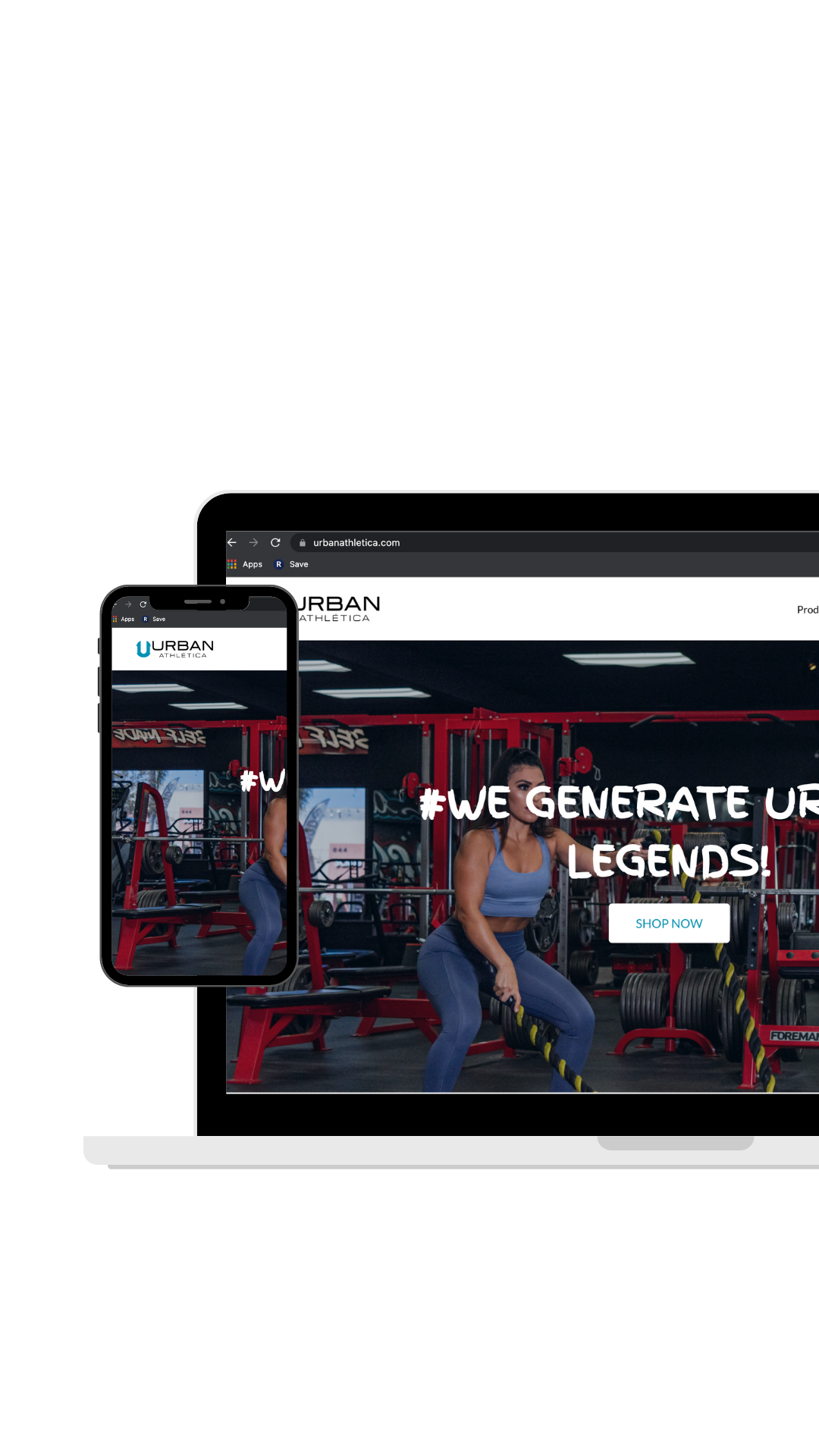
In the case of the Urban Athletica project, the task at hand was relatively straightforward: uploading images (pictures upload) to their site and adjusting the appearance of the landing page using an image carousel. While this might seem like a relatively simple task, it still required a certain level of technical expertise and creative flair to ensure that the images were displayed in the most visually appealing way possible.

One of the key challenges with image-based projects like this is ensuring that the images are optimized for both speed and quality. Large image files can slow down page load times, which can negatively impact user experience and even hurt your search engine rankings. At Websiteistic, we have a deep understanding of the technical aspects of image optimization and always strive to deliver projects that load quickly and look great on any device.

Another important aspect of the Urban Athletica project was the use of an image carousel on the landing page. Image carousels are a popular design element that allow you to display multiple images in a single space, without cluttering up the page with too much content. However, designing an effective image carousel requires a keen eye for visual design and an understanding of how users interact with your website. At Websiteistic, we specialize in creating intuitive, user-friendly designs that are optimized for conversion and engagement.

Overall, while the Urban Athletica project may have been relatively simple in terms of scope, it still required a high level of technical expertise and creative skill to ensure that the end result was visually stunning and optimized for user experience. At Websiteistic, we take pride in delivering exceptional results for all of our clients, regardless of the size or complexity of the project.

SHARE :

Facebook

Twitter

LinkedIn

Written By

Praveena Jogi

Let’s Talk

More Articles

Pj4ever Photography Website

Designing a website for PJ4ever Photography can be a significant and exhilarating undertaking and was an exciting and important project. 

Designing and maintaining a photography website involves several steps and considerations, including selecting a website platform, creating a design that reflects the photographer’s style and brand, and regularly updating and maintaining the website to ensure it remains functional and visually appealing. Here is a brief overview of the process:

  1. Choose a website platform: The first step in creating a photography website is selecting a website platform. Popular options include WordPress, Squarespace, Wix, and Shopify. Each platform has its own set of features and design options, so it’s important to choose one that aligns with the photographer’s goals and preferences.

  2. Develop a design: Once a platform is selected, the photographer should create a design that reflects their style and brand. This involves selecting a color palette, font styles, and creating a layout that is easy to navigate and showcases their work effectively. The photographer may also choose to incorporate a logo or other branding elements into the design.

  3. Add content: After the design is established, the photographer should add content to the website. This may include a homepage, a portfolio of their work, an about page, contact information, and any other relevant information.

  4. Regularly update the website: It’s important to regularly update the website with new content and to ensure all links and pages are functioning properly. This may involve adding new photos to the portfolio, updating pricing information, or making changes to the design as needed.

  5. Monitor website performance: The photographer should regularly monitor the website’s performance using tools like Google Analytics to track metrics like website traffic, bounce rate, and user engagement. This information can help the photographer make informed decisions about how to improve the website over time.

  6. Backup website data: Finally, it’s important to regularly backup the website data to ensure that it can be restored in case of a technical issue or other problem. This may involve using a third-party backup service or downloading the website data to a local hard drive.

Overall, creating and maintaining a photography website requires careful planning, attention to detail, and regular updates and maintenance to ensure it remains an effective tool for showcasing the photographer’s work and attracting new clients.

SHARE :

Facebook

Twitter

LinkedIn

Written By

Praveena Jogi


Let’s Talk

More Articles

Behind the Scenes: One-Person Website Design Company

As a one-person team at Websiteistic, I understand the challenges that small businesses face when it comes to website design and digital marketing. It can be overwhelming to try and keep up with the constantly evolving world of online marketing, especially for small businesses with limited resources. That’s why I offer a wide range of services to help businesses in Livermore, CA and the surrounding areas build their online presence and succeed in the digital landscape.

Read more